TRENDING:

Stranger Things Editable Logo
Editable $100 Bill Template V2
How to make a 2 Sided Fashion Design Card in Photoshop ...
  • BEST PRO RESOURCES
  • OUR HORROR ITEMS
  • OUR MEGA BUNDLE
  • PRO PHOTO ACTIONS
  • BEST WORDPRESS THEMES
Scarab13 Designs, Creative Resources for Masses
  • Home
  • Designs & Downloads
    • Posts & Designs
    • Animated PSD’s
    • CHALKBOARD GALLORE
  • Log In|Log Out
  • Registration
  • PS Video Tutorials

Select Page

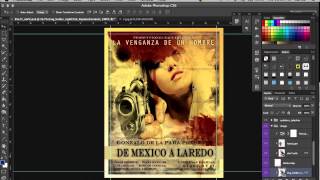
How to make Vintage Grunge Look in Photoshop

Posted by admin | Dec 13, 2017 | scarab13tuts | 0 |

DOWNLOAD IT HERE
DOWNLOAD 500 OF OUR EXCLUSIVE CREATIVE TEMPLATE FILES HERE

Share:

Rate:

PreviousHow to make Animated Upside-Down World in Photoshop
NextHow to make How to create Animated Holiday e-Card for Photoshop

About The Author

admin

admin

Internationally awarded graphic / web designer, videographer and musician

Related Posts

How to design an Army Poster in Photoshop without knowing Photoshop

How to design an Army Poster in Photoshop without knowing Photoshop

January 21, 2016

How to design in photoshop, fast without photoshop knowledge – Video tutorials – trailer

How to design in photoshop, fast without photoshop knowledge – Video tutorials – trailer

February 11, 2016

Design an original Western Butch Cassidy Wanted Poster 1901 in Photoshop

Design an original Western Butch Cassidy Wanted Poster 1901 in Photoshop

March 14, 2016

How to make a 3D Squares Poster – Photoshop Tutorial

How to make a 3D Squares Poster – Photoshop Tutorial

January 21, 2016

Recent Posts

  • Poster Squareface
    Poster Squareface
  • Fast 3D Generator
    Fast 3D Generator
  • Vintage Newspaper Cover
    Vintage Newspaper Cover
  • 8 Page Magazine Mockup
    8 Page Magazine Mockup
  • Custom Apparel Designs
    Custom Apparel Designs
  • Free – Vintage Photo Photoshop Action
    Free – Vintage Photo Photoshop Action
  • Free – Poster Making PS Action
    Free – Poster Making PS Action
  • Mugshot Generator (with demo video)
    Mugshot Generator (with demo video)

Designed by Elegant Themes | Powered by WordPress